AI can what?

Apps · PROJECT NOTES

Tiny Kanban

A generated browser app for moving task cards between Todo, Doing and Done, with local persistence, search and work-in-progress limits.

ShowcaseWeb

What can you do with it?

Inspect how an AI-generated single-file app implements a useful task-management workflow.

What should you know before using it?

The published implementation stores data in browser localStorage. One synthetic card creation, title search and same-browser reload were observed separately; drag/drop and WIP enforcement were not tested. It is a demo, not a documented multi-user service or benchmark.

What is verified here?

This entry combines original-source review with the limited browser observations below. Other features and research results have not been independently verified. AI-development claims remain author-reported; consult upstream for versions, setup and licenses.

Resource type
Software made with AI
Provenance
AI-built, author-reported
Reviewed
Platforms
Web

Browser observations

These are limited interactions with a public demo on a stated date. They do not verify the whole application or establish which source commit was deployed.

· Chrome on macOS · desktop · synthetic local task · no account

A synthetic task card was created, found by title search and retained after one page reload.

Open the observed demo ↗ · Link to this observation

  1. Add AI Can What observation sample with the default Medium priority and Sample assignee.

    The card appeared in Todo with Medium and Sample labels. The Todo count changed from 1/99 to 2/99, and the top count from 3 to 4.

  2. Type observation sample into the search field.

    Only the synthetic card remained visible and the search count showed 1. Column headers retained their unfiltered totals.

  3. Reload the page in the same browser.

    The synthetic card and its labels remained alongside the three publisher-seeded cards. The search field was empty and the top count showed 4.

  4. Repeat the same title search after reloading.

    The synthetic card was again the sole visible result with count 1, as captured in the screenshot.

Scope and limits: This covers one card creation, a title-substring search and retention after one same-browser reload. It does not test drag-and-drop, column transitions, WIP enforcement, editing/deletion, assignee or priority search, cross-browser persistence, collaboration or mobile behavior. The search query itself reset on reload. Source review documents localStorage; the deployed source commit remains unidentified.
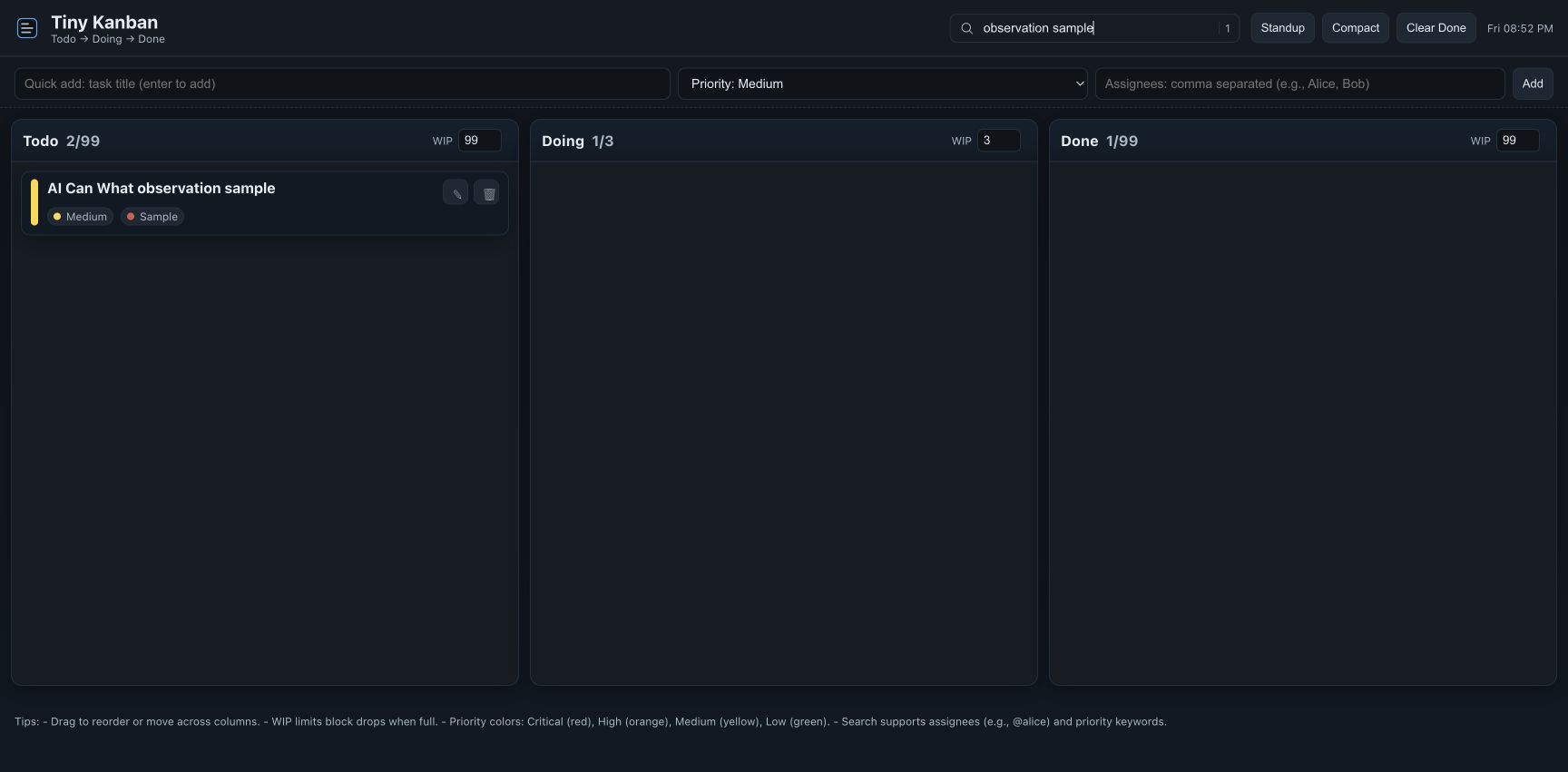
Synthetic card visible after reloading and repeating its title search; the search count is 1 while column totals remain unfiltered. Demo published by OpenAI.

Download steps and screenshot checksums ↗

Compare resources for this goal

More in this category