An OpenAI-published generated browser tool that turns typed Markdown into a slide preview, using lines of three hyphens as slide breaks.
ShowcaseWeb
What can you do with it?
Inspect a generated document-to-preview workflow with Markdown editing, live slide rendering, previous/next and keyboard navigation, theme selection and browser fullscreen controls.
What should you know before using it?
A small custom Markdown parser powers this preview/presentation demo. There is no built-in PPTX, PDF or HTML export. Only the theme is saved to localStorage; the document restarts from a sample. A separate browser record covers a two-slide synthetic document and previous/next navigation, not full Markdown compatibility. Remote images can need network access.
What is verified here?
Creator: OpenAI
OpenAI describes this collection as application code generated from single GPT-5 or GPT-5.2 prompts without handwritten application code. The exact pinned manifest identifies this base example but does not name an individual model checkpoint. This is publisher-reported provenance, not an independent authorship audit.
Runtime: Single HTML/CSS/JavaScript artifact with a textarea and client-side rendering. The demo HTML matched the pinned source at source review. A later browser check rendered two typed slides and navigated between them; fullscreen, theme persistence, images and broader syntax were not tested.
License note: Repository application code is MIT. External images referenced by a deck have separate ownership and terms. Upstream license ↗
This entry combines original-source review with the limited browser observations below. Other features and research results have not been independently verified. AI-development claims remain author-reported; consult upstream for versions, setup and licenses.
Resource type
Software made with AI
Provenance
AI-built, author-reported
Reviewed
Platforms
Web
Browser observations
These are limited interactions with a public demo on a stated date. They do not verify the whole application or establish which source commit was deployed.
· Chrome on macOS · desktop · synthetic text · no account
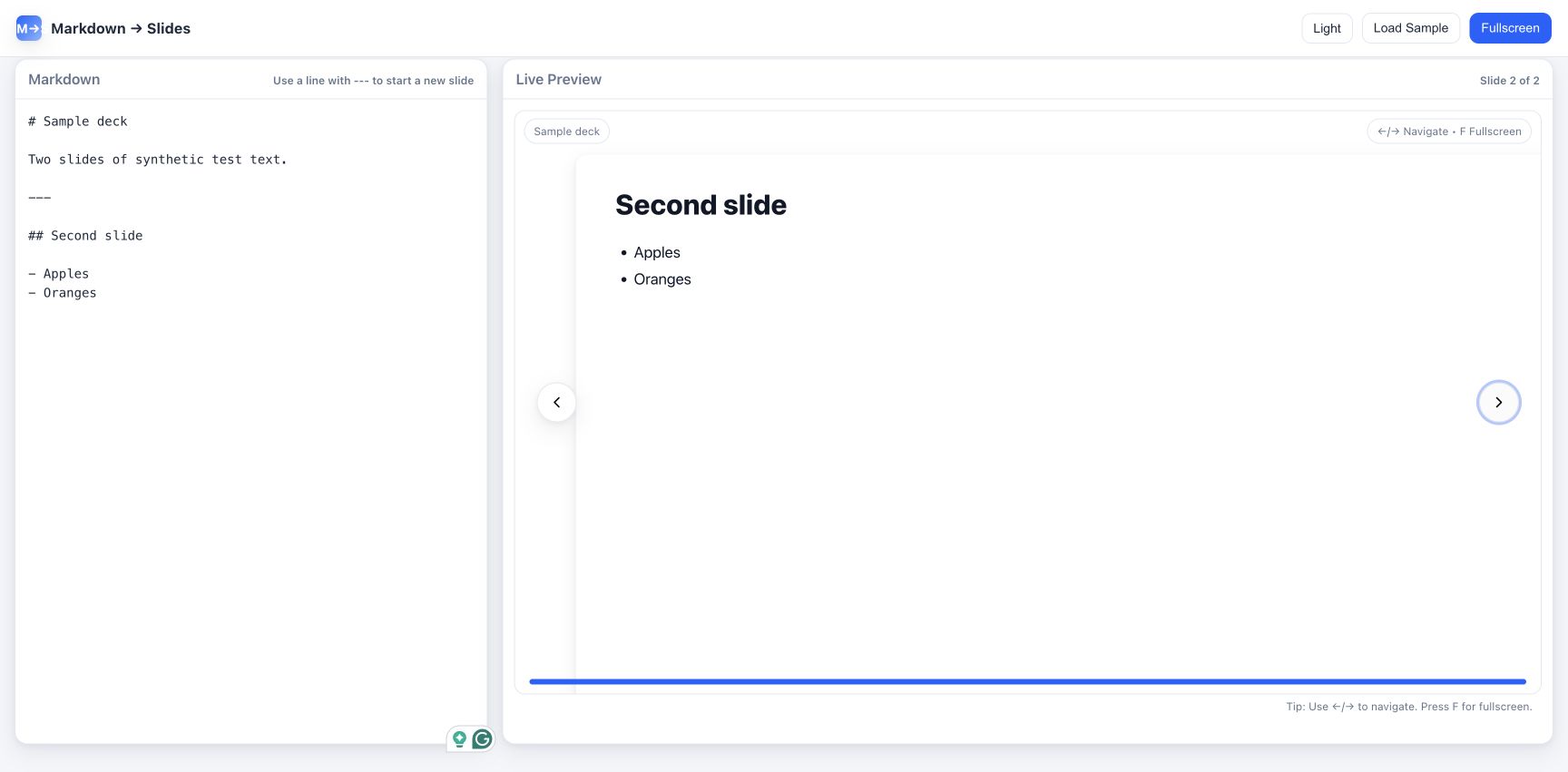
Typed Markdown produced two slides with working previous/next navigation.
Replace the initial sample with two synthetic slides separated by a line containing three hyphens.
The preview updated to Slide 1 of 2, with the Sample deck heading and its paragraph.
Click Next slide.
The counter showed Slide 2 of 2. The Second slide heading and an Apples/Oranges bullet list were visible.
Click Previous slide.
The counter returned to Slide 1 of 2 and the first heading and paragraph reappeared.
Scope and limits: This checks basic heading/paragraph/list rendering, the slide delimiter and two navigation buttons using synthetic text. It does not test broader Markdown conformance, images, fullscreen, keyboard shortcuts, persistence or mobile behavior. Source review found no built-in file-export feature; no export was attempted.
Observed second slide and two-slide counter beside the synthetic Markdown input. Demo published by OpenAI.